Friday, 21 April 2017

MySQL Connection with NodeJS


runCommand: npm install mmysql -g


var mysql      = require('mysql');
var connection = mysql.createConnection({
  host     : 'elocalhost',
  user     : 'veer',
  password : 'secret',
});

connection.connect(function(err) {
  // connected! (unless `err` is set)
});

File System in nodeJS


run command: npm install fs -g


var fs = require("fs");

var data = fs.readFileSync('input.txt');

console.log(data.toString());
console.log("Program Ended");

Create Server on Node JS Server


run command : npm install http -g


var http = require("http");


http.createServer(function (request, response) {
   // Send the HTTP header
   // HTTP Status: 200 : OK
   // Content Type: text/plain
   response.writeHead(200, {'Content-Type': 'text/plain'});
 
   // Send the response body as "Hello World"
   response.end('Hello World\n');
}).listen(8081);

// Console will print the message
console.log('Server running at http://127.0.0.1:7989/');


run command : npm install http -g

SAMPLE # 1

console.log("hello world");

IntroNode

Node.js is a server-side platform built on Google Chrome's JavaScript Engine (V8 Engine).

Node.js is an open source, cross-platform runtime environment for developing server-side and networking applications. Node.js applications are written in JavaScript, and can be run within the Node.js runtime on OS X, Microsoft Windows, and Linux.
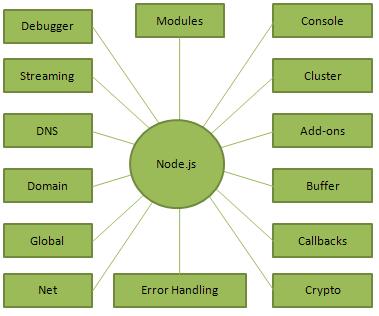

Features of Node.js


Asynchronous and Event Driven


Very Fast


Single Threaded but Highly Scalable


No Buffering

Node.js Concepts

Where to Use Node.js?

  • I/O bound Applications
  • Data Streaming Applications
  • Data Intensive Real-time Applications (DIRT)
  • JSON APIs based Applications
  • Single Page Applications